Energy Dashboard Setup
Overview
This guide explains how to enable the virtual Energy Dashboard device and connect the curated sensors to Home Assistant’s Energy Dashboard.
Prerequisites
- SolaX Modbus integration installed and working
- Inverter reachable and providing live data
- (Optional) Parallel mode configured if you have multiple inverters
Enable Energy Dashboard
- Open Settings → Devices & Services
- Select the SolaX Modbus integration
- Open the integration Options
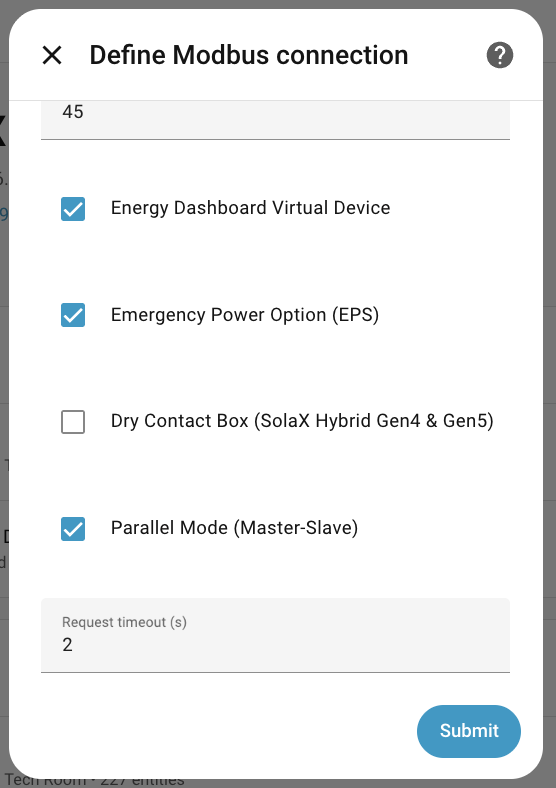
- Enable Energy Dashboard device
- Save changes and reload the integration
Configure Home Assistant Energy Dashboard
- Open Settings → Dashboards → Energy
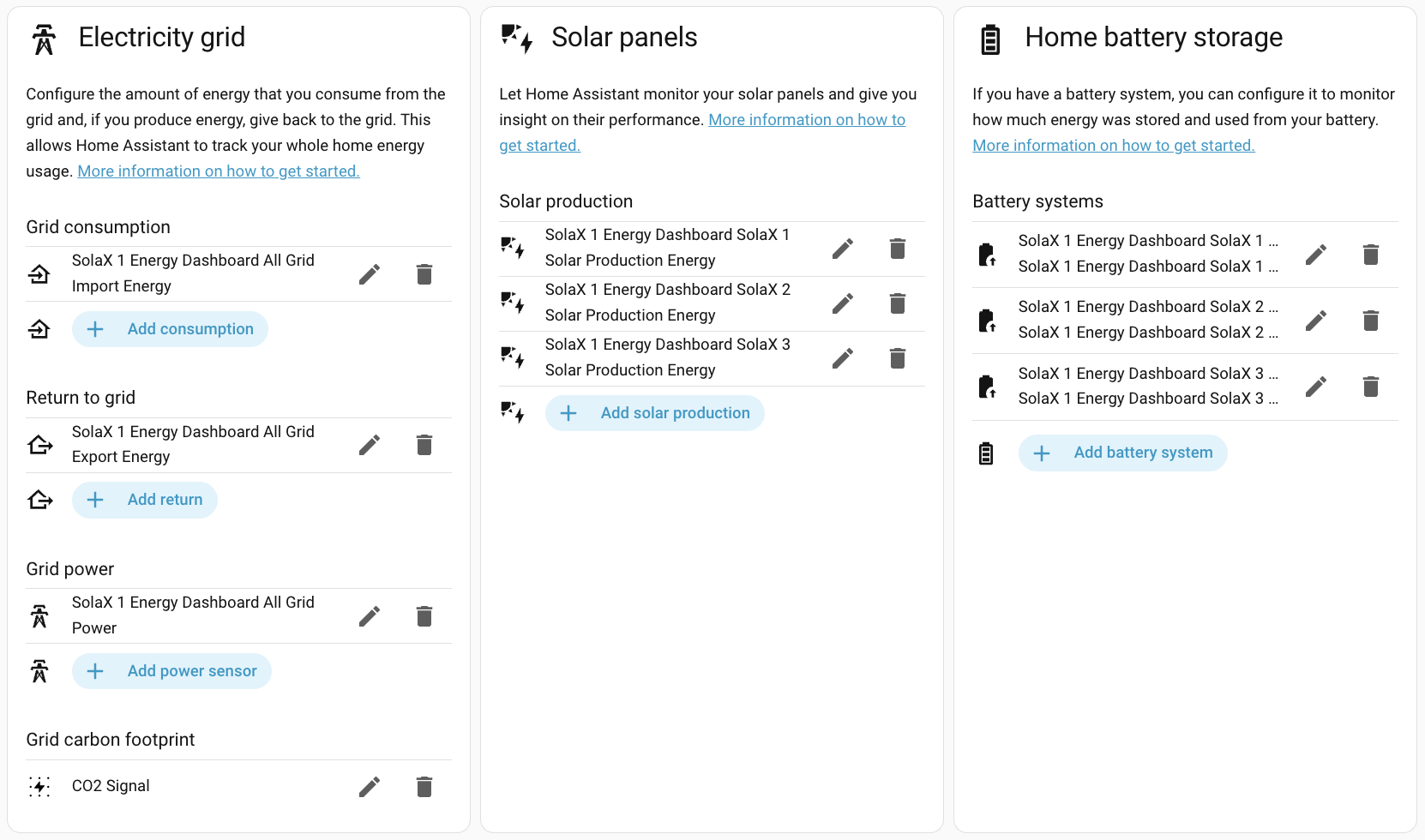
- Add your grid, battery, and solar energy sensors
- Select the Energy Dashboard sensors created by the integration
Parallel Mode Notes
- The Primary inverter exposes “All” sensors (system totals)
- Per‑inverter sensors are also available for individual visibility
- If you are in parallel mode, make sure the Primary inverter is connected
For parallel mode setup guidance, see: solax-parallel-mode.md.
Diagnostics
The Energy Dashboard device includes diagnostics to explain: - Standalone vs parallel mode - Inverter count - Debug override (if enabled)
Diagnostics help validate your setup if data looks unexpected.
Troubleshooting
- If sensors are missing, reload the integration
- Check the device’s Diagnostics section for mode and count
- Confirm you enabled the Energy Dashboard device in options