SolaX Energy Dashboard
Overview
The Energy Dashboard feature provides a dedicated virtual Energy Dashboard device with curated grid, battery, and solar sensors designed to match Home Assistant Energy Dashboard requirements.
Key outcomes: - Consistent sensor naming and sign conventions - A unified Energy Dashboard device with diagnostics - Parallel mode support (Primary + Secondary inverters)
Note: The Home Assistant Energy Dashboard itself updates with a delay (typically around an hour).
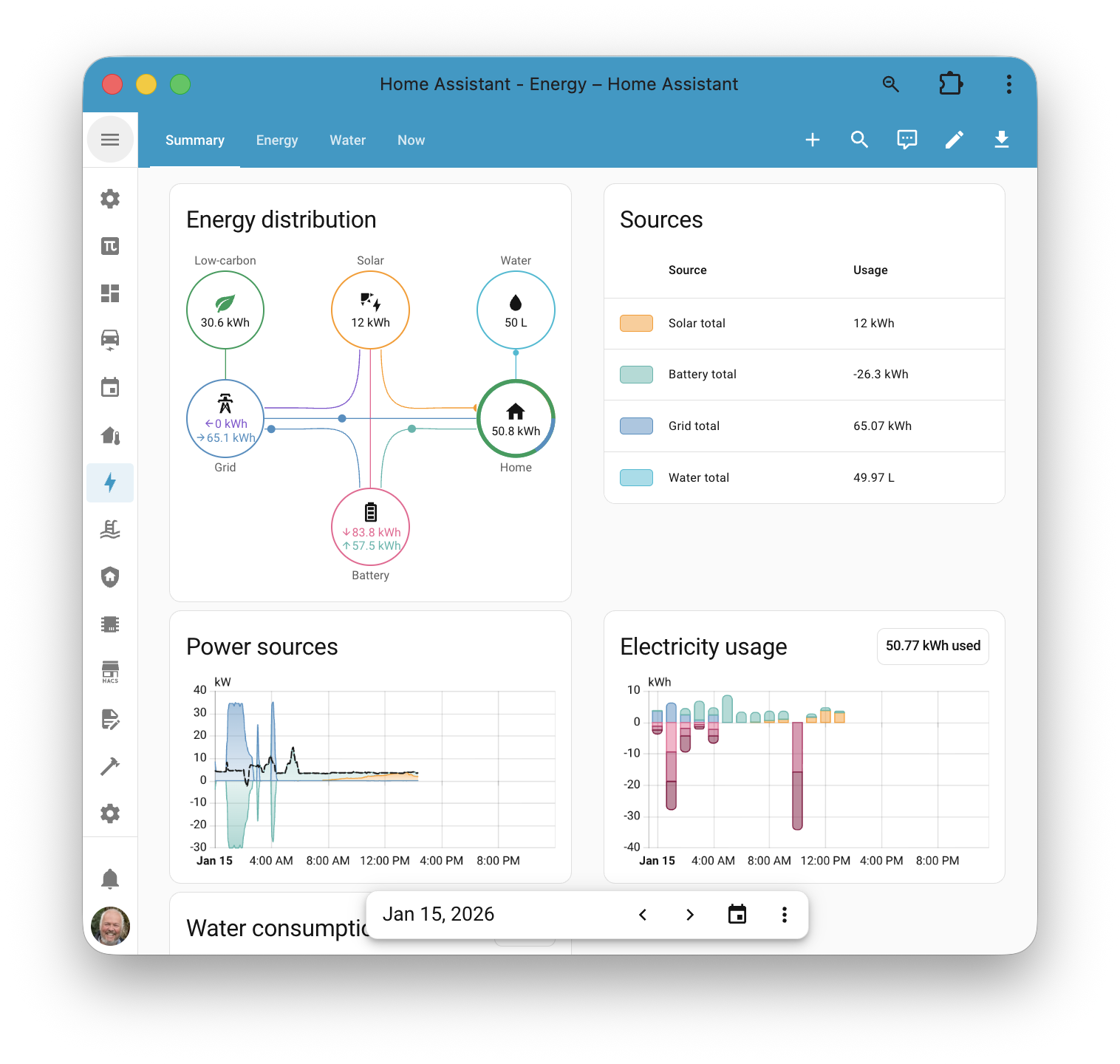
Energy Dashboard (Historic)
The main Energy Dashboard focuses on energy sensors and requires clean, correctly signed energy entities.
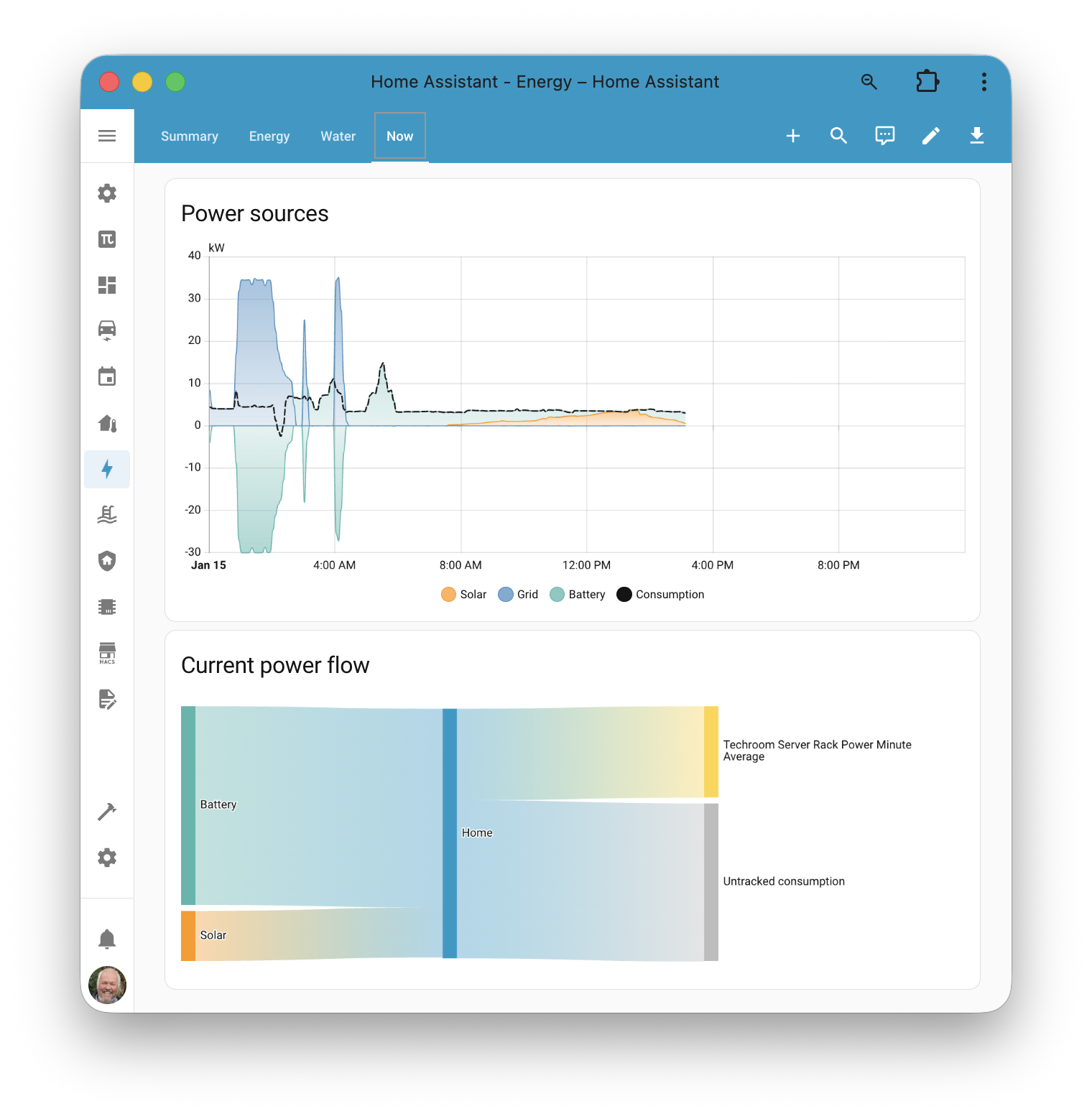
Energy Dashboard Now (Realtime)
The "Now" view focuses on power sensors and requires correct real‑time power entities. This used to be a major pain point, but the Energy Dashboard virtual device provides both energy and power sensors with consistent conventions.
Sensors and Adaptation
SolaX inverters expose many raw sensors that can feed the Home Assistant Energy Dashboard, but they typically need: - Naming and category alignment (grid, battery, solar) - Sign convention adjustments (import/export, charge/discharge) - Aggregation for parallel systems
Historically this required custom helper entities and extra calculations. The Energy Dashboard implementation now provides ready‑made mappings that adapt inverter data to the exact requirements of the Home Assistant Energy Dashboard.
Why This Matters
With the virtual Energy Dashboard device enabled: - Advanced sensors are created automatically - Parallel mode systems are handled consistently - Setup in the Home Assistant Energy Dashboard becomes straightforward
What the Integration Adds
When Energy Dashboard is enabled, the integration creates: - A virtual Energy Dashboard device per inverter hub - Grid, battery, and solar power sensors - Grid, battery, and solar energy sensors - Diagnostics to explain mode and configuration
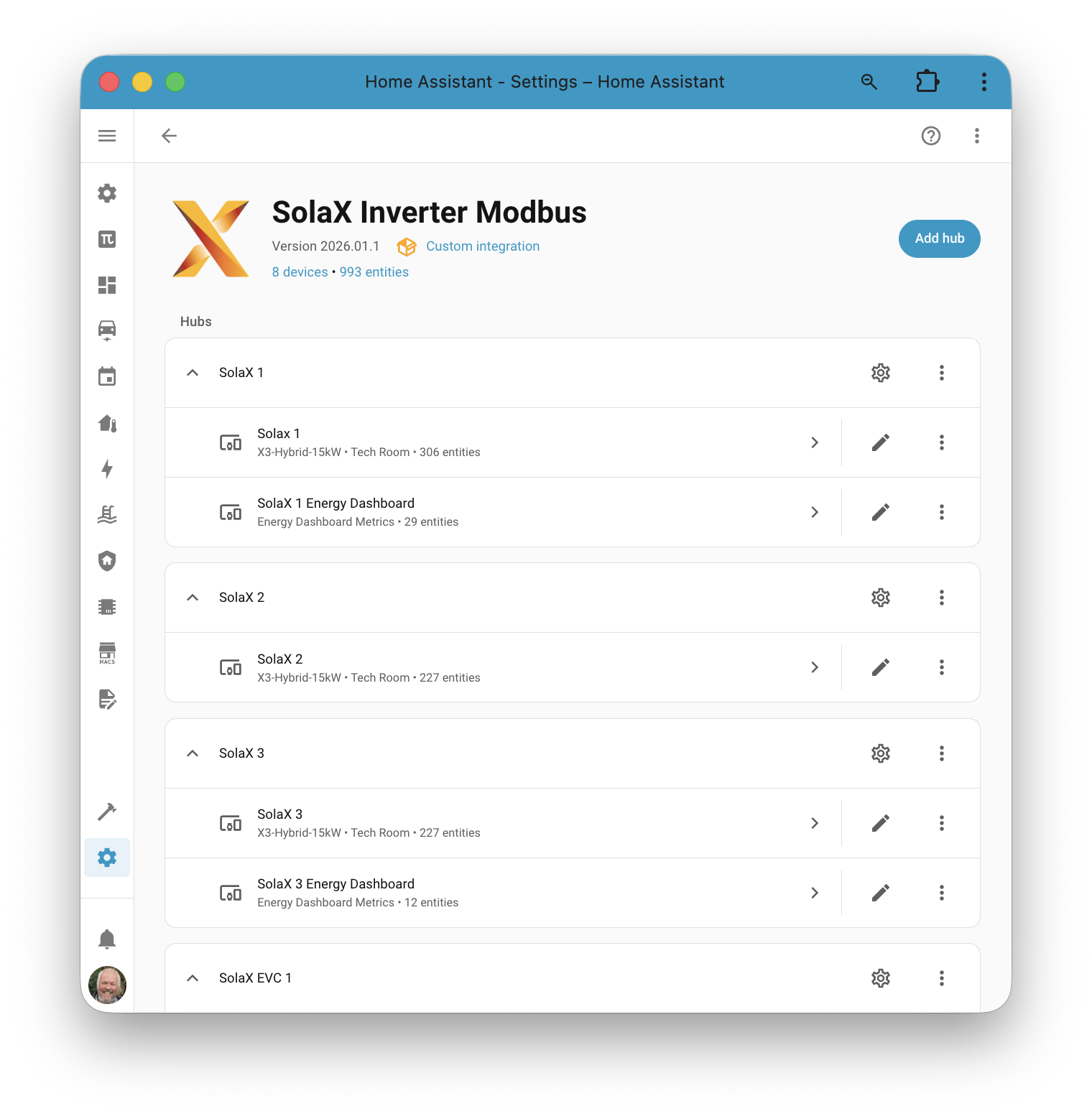
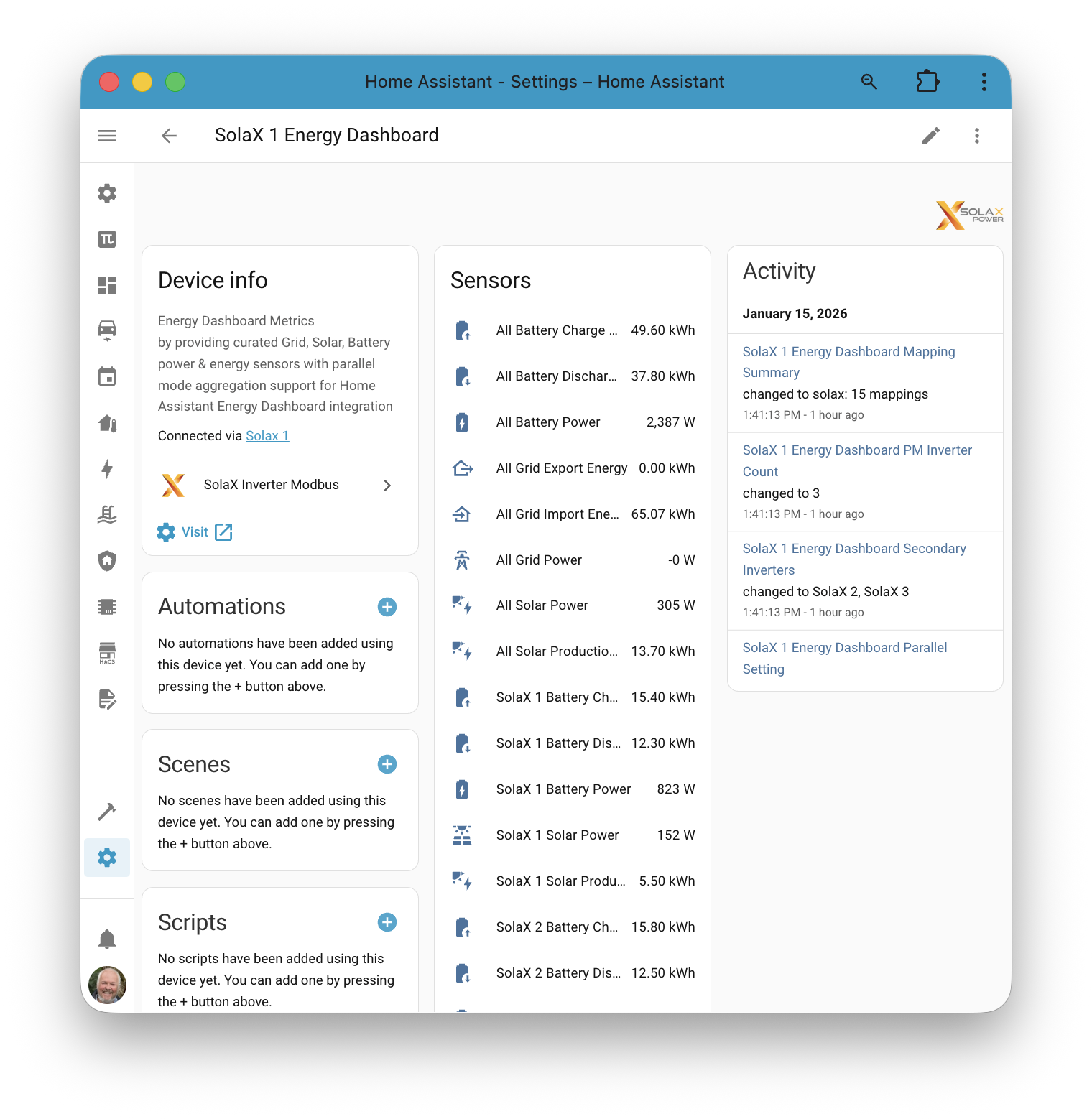
Standalone and parallel examples:
Standalone view shows the curated, correctly signed sensors for a single inverter.
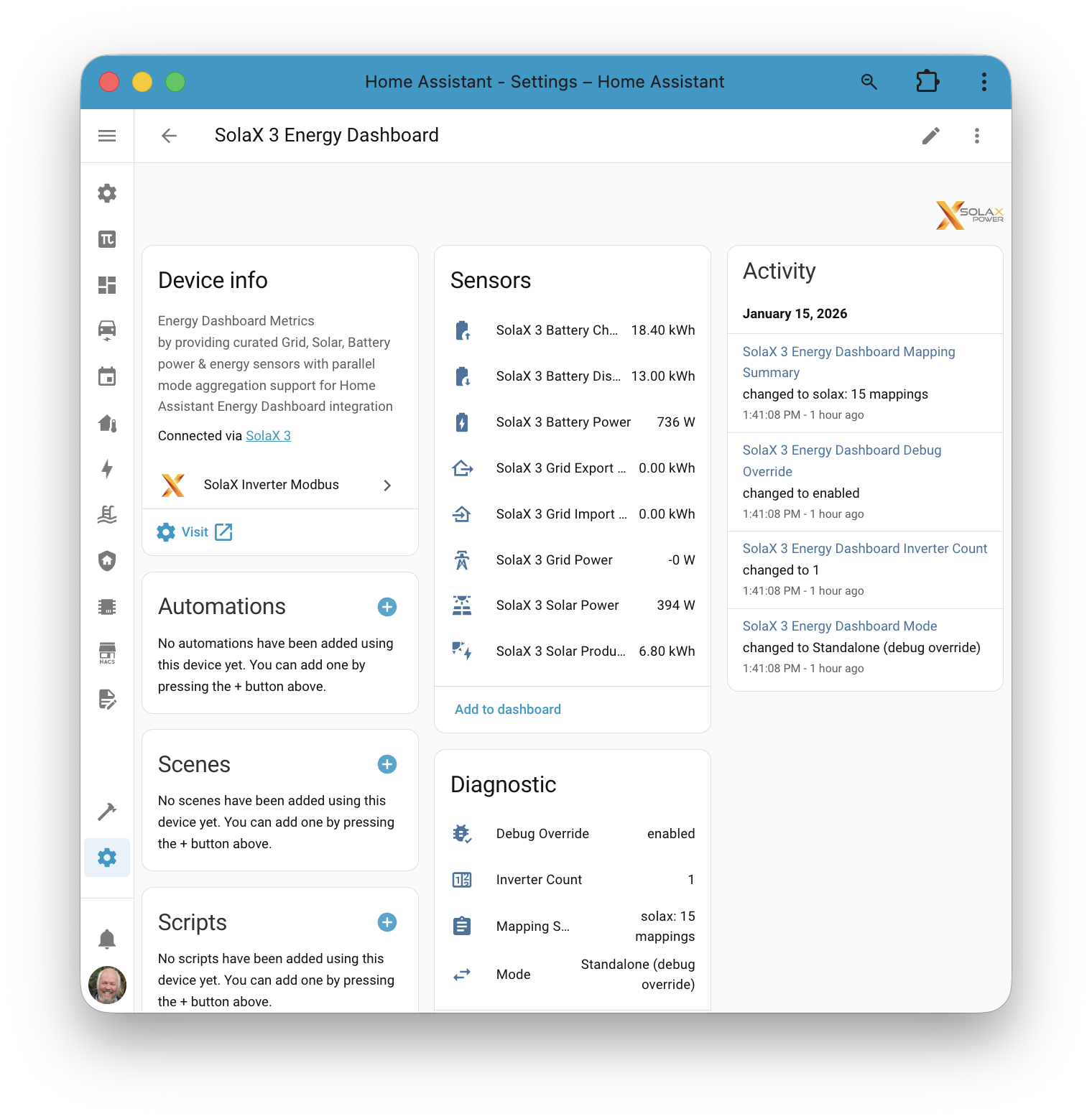
Parallel view includes All metrics (system‑wide totals across the parallel system) plus per‑inverter measurements for detailed solar and battery tracking.
Parallel Mode Support
Parallel systems are supported with a Primary inverter and one or more Secondary inverters. The virtual Energy Dashboard device: - Uses Primary totals for "All" sensors where available - Exposes per‑inverter sensors to show individual contributions
For full parallel‑mode setup guidance, see: solax-parallel-mode.md.
Next Steps
For setup steps and config flow details, see: energy-dashboard-setup.md.